Your Cart
Your cart is empty
HMD Rosetta Compressor $49.99
Audio Plugin

Control Dynamics Without Killing
The Feeling

Rosetta Compressor helps you smooth vocals, drums, instruments, and mixes while keeping the emotion, movement, and punch intact. Using everyday language.

VST / AU / AAX Mac & Windows Lifetime License
$49.99 $69.99 Save 28%
Instant Download
Secure Checkout
Lifetime License
Free Updates
HMD Rosetta Compressor
30K+
Engineers Using HMD
5
Trusted Sound
Compression Translated+
Compression
0%
Zero Latency
Explore The Plugin

Compression In Plain English

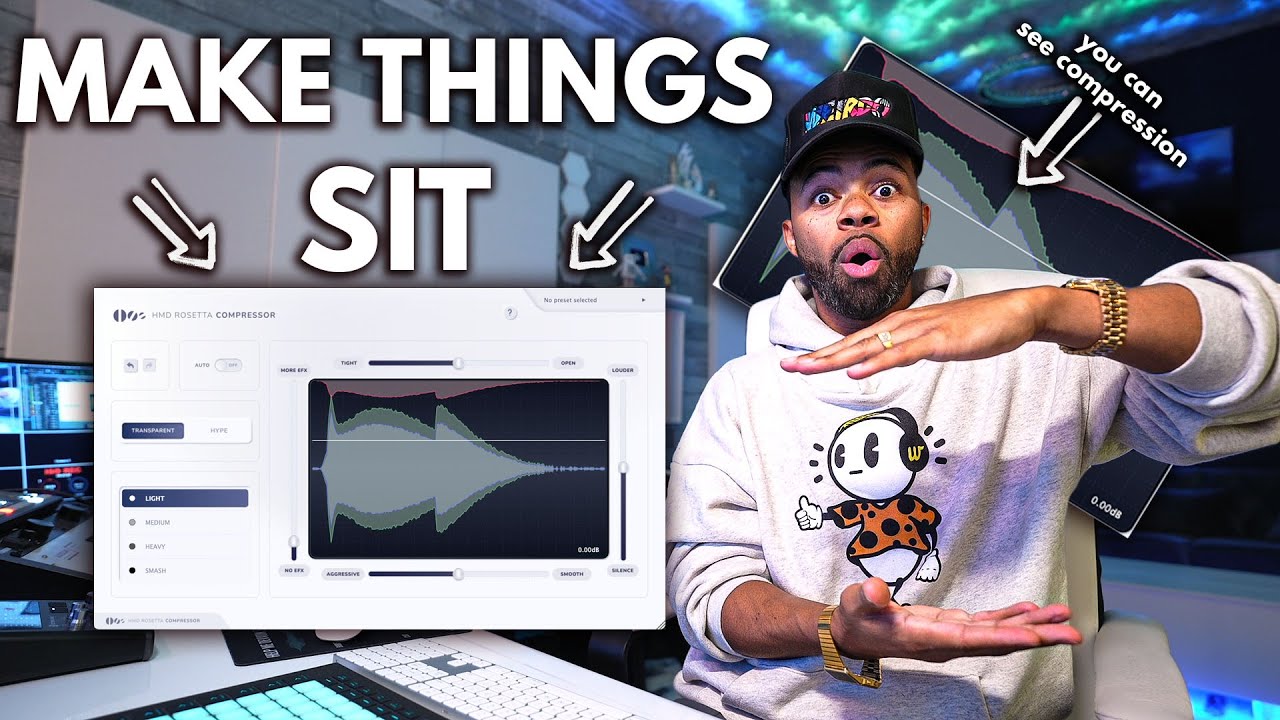
No threshold. No ratio. No attack-and-release guesswork. Just describe the sound you want and let your ears lead. Tap any point to see what it does.

HMD Rosetta Compressor interface
1
Workflow · 01
Undo / Redo
Step backward or forward through your moves so you can A/B changes freely without losing your place.
2
Workflow · 02
Auto
Hands the timing to the plugin — it sets attack and release for you based on the incoming signal, so you can focus on the result.
3
Character · 03
Transparent / Hype
Choose the personality of the compression. Transparent keeps it clean and invisible; Hype adds attitude, color and excitement.
4
Amount · 04
Light → Smash
Sets how hard it clamps down. Light for gentle glue, Medium and Heavy for control, Smash for full-on aggressive squash.
Light · Medium · Heavy · Smash
5
Tone · 05
More EFX / No EFX
Dials in the amount of added harmonic effect and color, from completely clean up to heavily processed.
6
Release · 06
Tight ↔ Open
Controls how the compression breathes. Tight grabs and holds for a controlled feel; Open lets it relax and ride more naturally.
7
Output · 07
Louder / Silence
Sets the make-up gain after compression — push it Louder to match levels or pull toward Silence to tame.
8
Attack · 08
Aggressive ↔ Smooth
Shapes how the compressor reacts to transients. Aggressive clamps fast and punchy; Smooth eases in for a gentler response.
9
Display · 09
Live Waveform
A real-time visual of what compression is doing to your signal — see the dynamics being shaped as you make moves.
Every Control, Explained
1
Undo / Redo
Step through your moves to A/B freely.
2
Auto
Plugin sets attack & release for you.
3
Transparent / Hype
Clean & invisible, or colored & exciting.
4
Light → Smash
How hard it clamps down.
4 amounts
5
More EFX / No EFX
Amount of added harmonic color.
6
Tight ↔ Open
How the compression breathes (release).
7
Louder / Silence
Make-up gain after compression.
8
Aggressive ↔ Smooth
How it reacts to transients (attack).
9
Live Waveform
Real-time view of the dynamics.
Hear The Feel

Compression You Can Describe

HMD Rosetta Compressor demo
Watch Full Demo
From Tight to Open. You Pick The Feel.
Compress With Ease

From Tight to Open. You Pick The Feel.

Rosetta Compressor lets you shape compression by feel, not by confusing technical settings. Go from tighter, more controlled dynamics to a more open, natural sound with simple controls that match how you actually hear music.

Finally — A Compressor That Speaks Your Language
Aggressive to Smooth

Finally — A Compressor That Speaks Your Language

Stop guessing attack, release, ratio, and threshold. Rosetta Compressor translates compression into simple choices like transparent, heavy, smash, open, smooth, and louder so you can get the sound you want faster.

Use Our Special Hype Button For Compression With Saturation
SATURATION

Use Our Special Hype Button For Compression With Saturation

Turn on Hype when you want compression with extra weight, energy, and color. It adds saturation-style excitement so vocals, drums, instruments, and mixes can feel louder, fuller, and more alive.

Tech Specs

Built for Every Studio

FormatsVST3, AU, AAX
PlatformMac & Windows
macOS10.13 or later
WindowsWindows 10 or later (64-bit)
RAM8GB minimum (16GB recommended)
Storage500MB free disk space
ActivationOnline, 2 computers
UpdatesFree for life
Compress The Way You Feel It.

Get Rosetta Compressor

No manuals. No guessing. Just describe the sound you want.

$49.99 $69.99